For techs paid on a 1099
Nobody takes taxes out of your check. Here's what to put away, and when to send it.
Tech Tax Helper is a free app for cable, fiber, satellite, install and field techs paid as contractors. Record a check and it tells you what to set aside. Before each due date it tells you what to send the IRS and your state, and walks you through paying.
Free on iPhone and Android · No account · Saves to your own Google Sheet
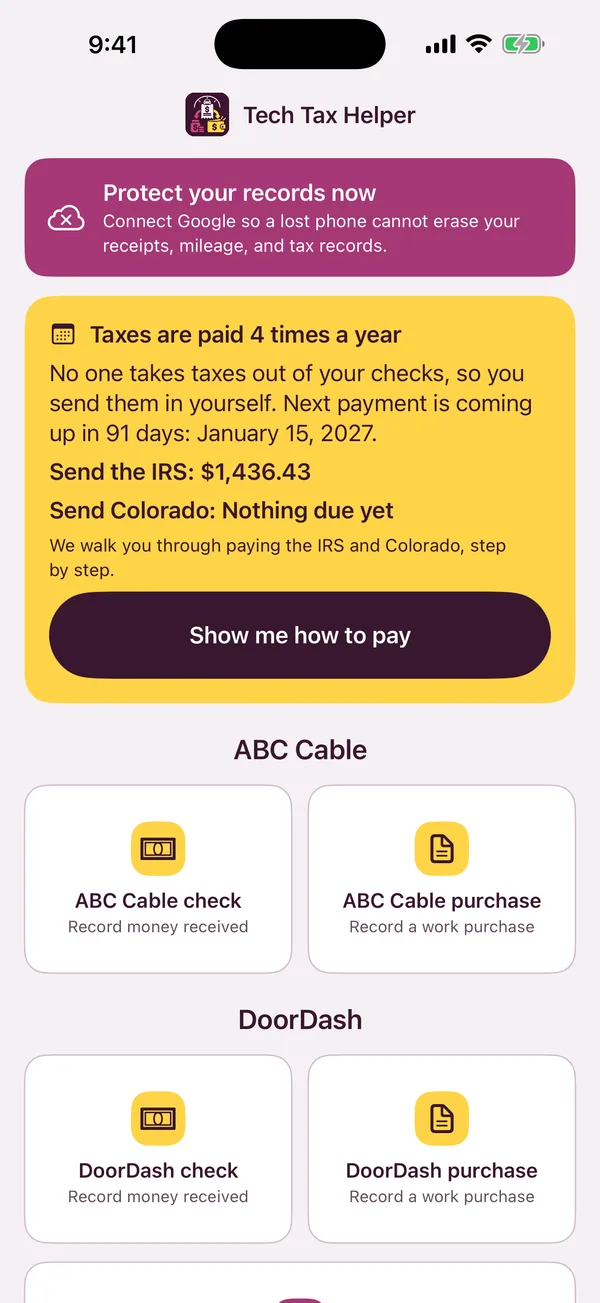
Check from ABC Cable
Check amount$1,000.00
Set aside for taxes (33%)$330.00
Yours to spend$670.00
One number every time you get paid
On a W-2 job the company holds back taxes for you. On a 1099 nobody does, and the bill shows up in April all at once. The simple fix is moving a share of every check into a separate savings account the day it lands.
The app uses 33%, split between the IRS and your state. For most techs that covers the tax with some left over, which is the side you want to miss on. Why 33%, and when you could use less.
What the app does
Four buttons, the way you already work
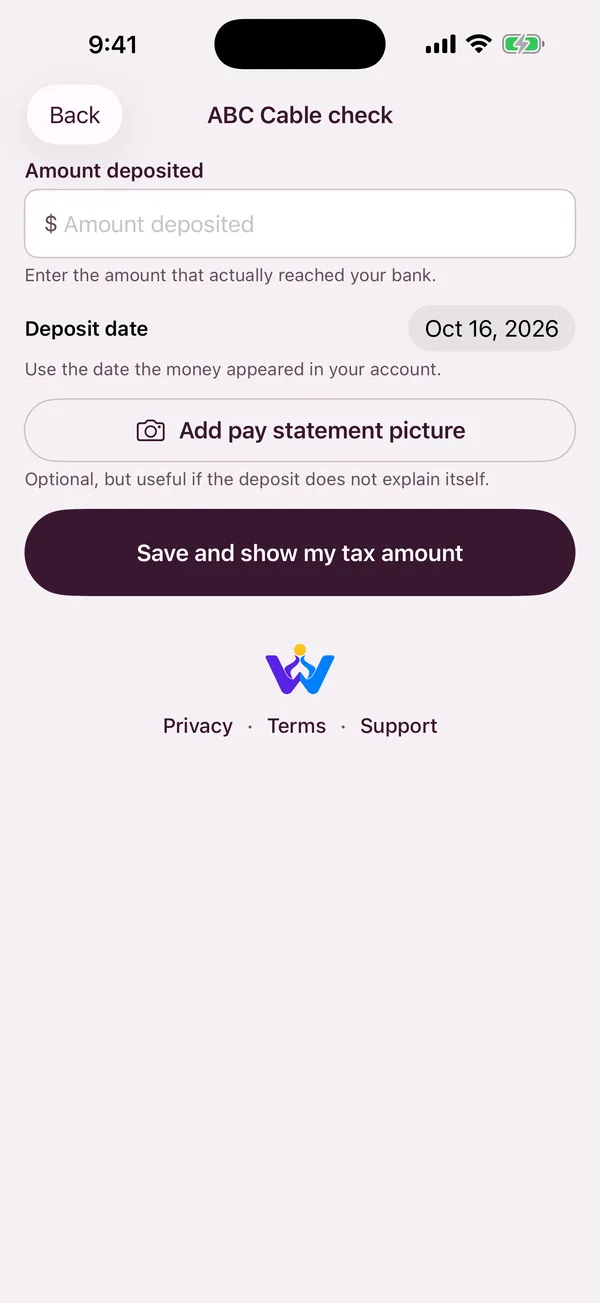
Record a check
Every company you work for gets its own button. Type the amount and it tells you what to move to tax savings.
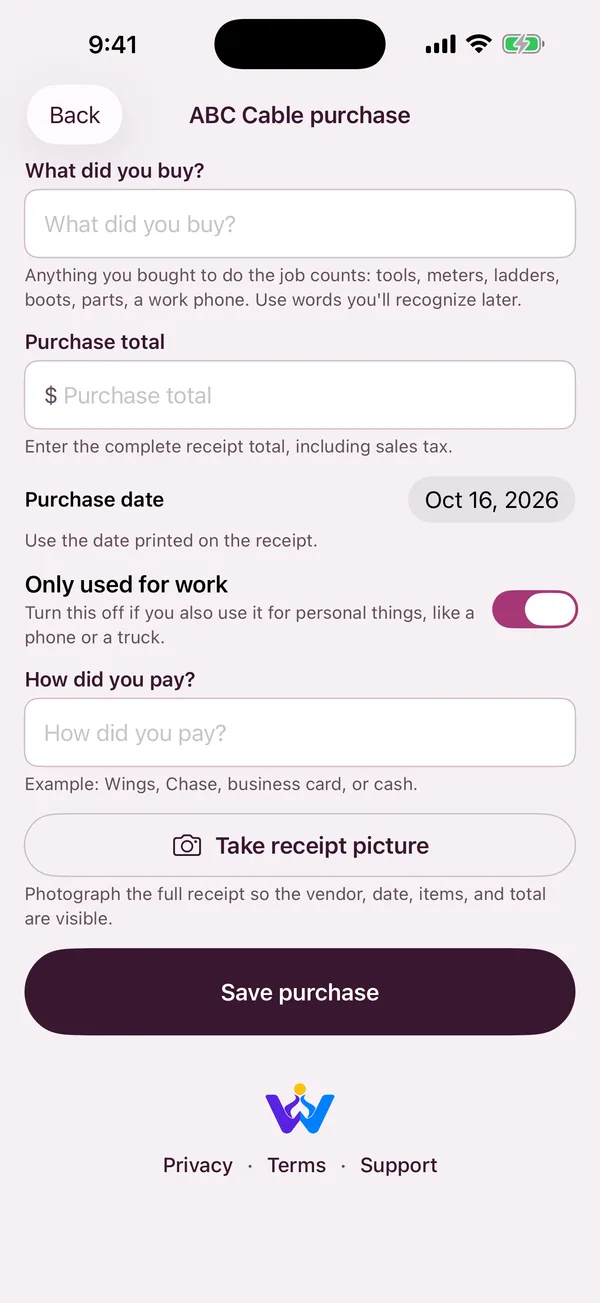
Snap work purchases
Tools, meters, ladders, boots, parts, a work phone. Take a picture of the receipt and answer one question: only used for work?
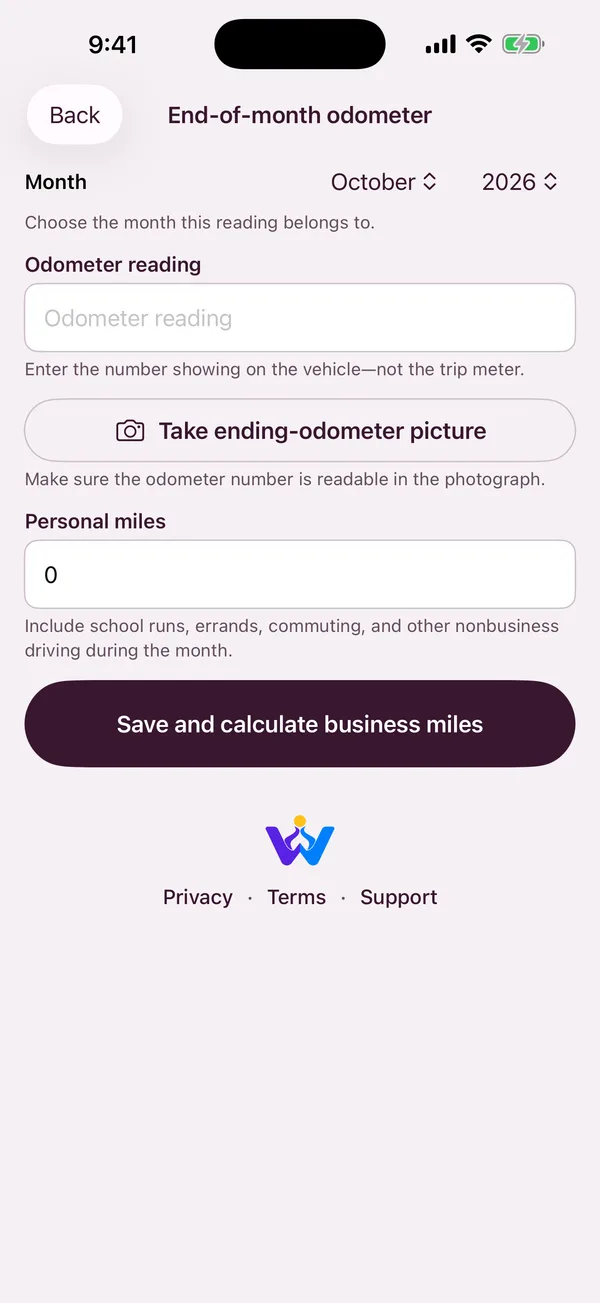
Two odometer pictures a month
First day and last day. Tell it your personal miles and it works out your work miles. No GPS running in the background.
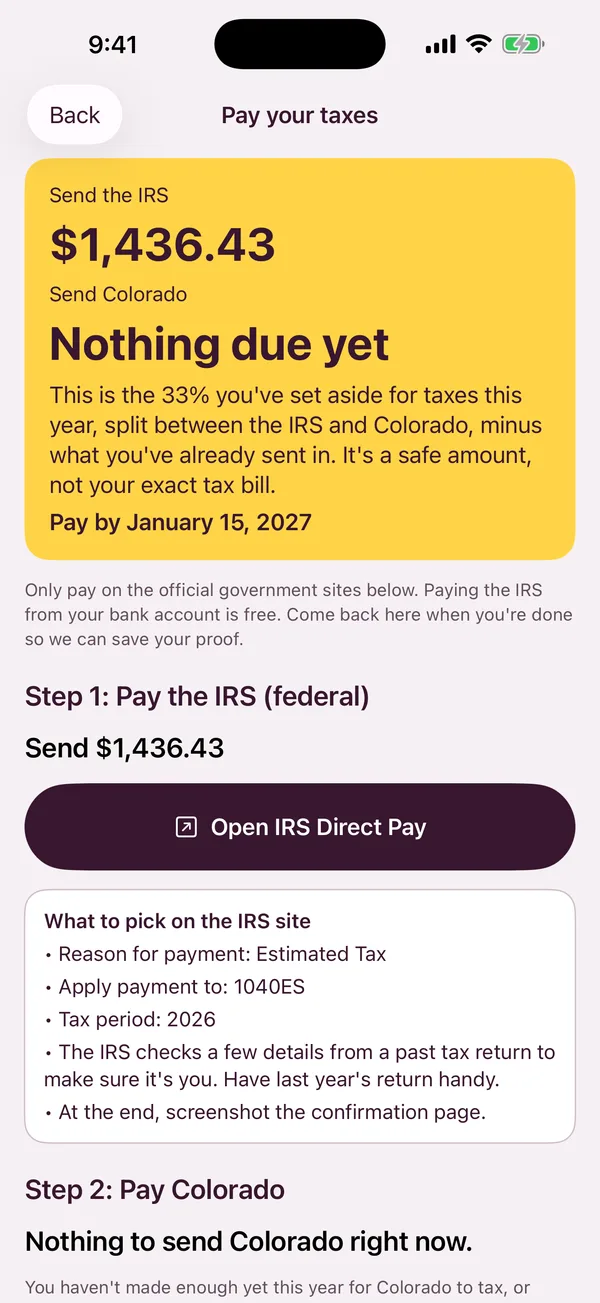
Pay on time, step by step
Before each due date you get the amount for the IRS and your state, and what to pick on every screen of IRS Direct Pay.
2026 tax year
The four days the IRS wants a payment
1099 taxes are paid four times a year, not once. Each payment covers the months before it. Miss one and the IRS adds a penalty, even if you pay everything in April.
- Apr 15, 2026Pay for January through March
- Jun 15, 2026Pay for April and May
- Sep 15, 2026Pay for June through August
- Jan 15, 2027Pay for September through DecemberNext up
Guides
Plain answers to what techs actually ask
Setting money aside
- How Much to Set Aside for Taxes on 1099 PaySet aside 25% to 33% of every check the day it lands, in a separate savings account. A third covers self-employment tax,…
- How Much Tax Do You Pay on 1099 Income? The Math, Step by StepFor a single tech with $60,000 of 1099 profit in 2026, the total is about $13,800, or 23% of profit. Self-employment tax…
- Self-Employment Tax: The 15.3% Nobody Warned You AboutSelf-employment tax is Social Security and Medicare at 15.3%, figured on 92.35% of your profit. It works out to about 14% of…
Paying the IRS and your state
- Quarterly Taxes on 1099 Pay: 2026 Due Dates and How Much to Send2026 payments are due April 15, June 15 and September 15, 2026, and January 15, 2027. You're supposed to pay quarterly if…
- How to Pay Quarterly Taxes Online with IRS Direct PayOn irs.gov, open Direct Pay and pick Estimated Tax, 1040ES, and the year you earned the money. Verify with details from a…
- Penalty for Not Paying Quarterly Taxes on 1099 IncomeThe penalty works like interest: 7% a year on the amount you were short, for as long as it was late. Skipping…
- What Happens If You Don’t Pay Taxes on 1099 IncomeThe IRS already gets a copy of your 1099s. When it catches up, it bills tax on every dollar with no credit…
- Behind on Taxes? How to Get Caught Up, Check to CheckFile the missing years even if you can't pay, then ask for a small monthly payment plan or 'can't pay right now'…
Work costs and miles
- What Can You Write Off on a 1099? A List for Field TechsAnything normal and needed for the work: tools, meters, ladders, supplies, safety gear, work miles, the work share of your phone, and…
- 1099 Mileage Deduction 2026: Rates, Rules and an Easy LogIn 2026, work miles are worth 72.5 cents each from January through June and 76 cents from July through December. Job-to-job miles…
- Gas Receipts or Mileage? Why We Use MilesKeep your miles, not your gas receipts. The IRS mileage rate already covers gas, oil, tires, repairs and insurance. Counting both counts…
- Writing Off Your Truck: Miles or Actual Costs?For an older, paid-off truck, counting miles almost always wins and takes less paperwork. Writing off actual costs can win on a…
- What Receipts to Keep for Taxes on 1099 Work, and for How LongKeep every 1099, pay statement, work receipt, odometer record and tax payment confirmation for at least 3 years after you file. Clear…
New to 1099 work
- First Year on a 1099: What Changes at Tax TimeNothing is taken out of your checks anymore. From your first check, set aside about a third, keep every receipt and odometer…
- Got a 1099-NEC? Here’s What to Do With ItIt shows what one company paid you last year. Check Box 1 against your own record of checks, give it to whoever…
- 1099 Cable Technician Taxes: A Guide for Install TechsSet aside a third of every production check, count company chargebacks and rental deductions as work costs, track truck miles, and keep…
- 1099 vs W-2 Tech Job: Comparing the Pay HonestlyA 1099 rate usually has to be at least 25–40% higher than a W-2 rate for the same work just to break…
Questions about the app
Is it really free?
Yes. No ads, no subscription, no upsell to a paid tier. It's made by WalkTeaming LLC, a small Colorado company that also makes fitness and game apps.
Does it file my taxes or send my payments?
No. It keeps your records, works out safe amounts to set aside and send, and walks you through paying on the official IRS and state websites yourself. At tax time it makes one file you hand to whoever does your return.
Where are my records saved?
In your own Google account. Connect Google once and the app keeps a spreadsheet for each tax year, plus your receipt and odometer pictures, in your Google Drive, so a lost or broken phone doesn't take your records with it. It also saves on your phone, so it works with no signal. There's no account to make and no bank connection, and the app can only see the files it makes.
I get checks from more than one company. Does that work?
Yes. Add every company you work for. Each one gets its own check and purchase buttons, and the totals add up across all of them.
Should I save gas receipts?
No. The app counts your work miles, and the IRS mileage rate already covers gas, oil, tires and repairs. Counting gas receipts too would count the same gas twice. Why we use miles.
Who is it for?
Built for cable and fiber techs, satellite and smart home installers and other field techs. It works the same for delivery drivers and anyone else paid on a 1099. U.S. only, because it's built around the IRS and U.S. state taxes.

Stop guessing what you'll owe in April
Free on iPhone and Android.