
Video calls solved the “do I need to get dressed” question in a strange way: yes, but only from the collarbones up. Everything below the desk is invisible, everything above it is on display at 1080p with someone else controlling the lighting. That split changes what actually counts as “appropriate,” and most advice on this topic still talks about it like a full outfit matters, when for a huge share of remote workers it genuinely doesn’t.
What the Camera Actually Judges
A webcam is unflattering in specific, fixable ways. Tight patterns — small checks, fine stripes, dense florals — can shimmer or moiré on compressed video, which reads as low-quality even on a good connection. Pure white blows out against most home lighting and pure black swallows detail, so the safest range is a mid-tone: a soft rose, a muted sage, a warm grey. Necklines matter more than people expect, since a call only frames the top third of a body — a round or V-neck reads as more finished than a plain crew, without requiring anything close to formal.
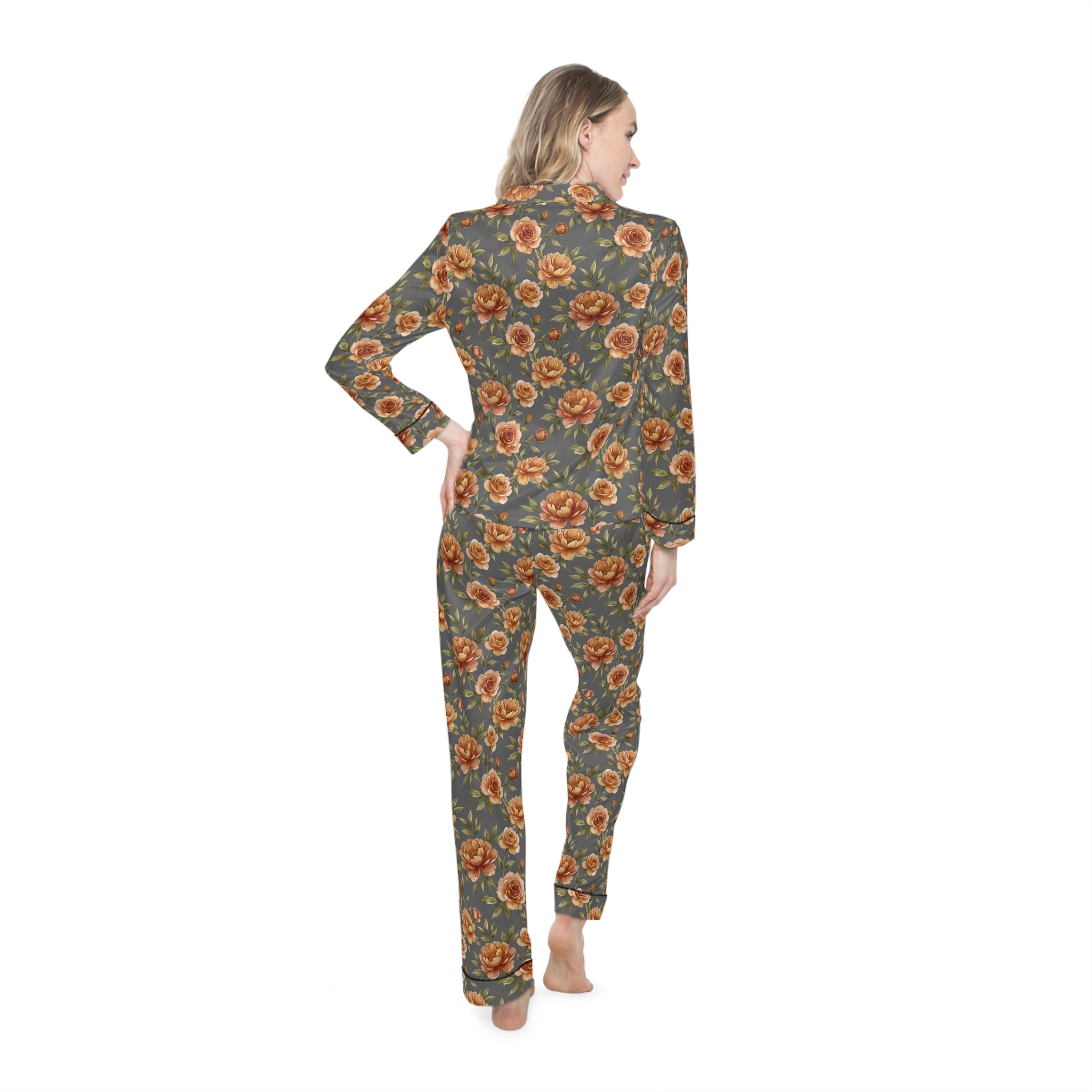
A satin pajama set top actually clears most of these bars by accident — satin has enough sheen to read as a real top on camera rather than sleepwear, the vintage rose print is a large-scale pattern rather than a fine one (so it doesn’t shimmer), and it sits in that mid-tone range that doesn’t fight your webcam’s exposure. It was designed as sleepwear, but nothing about a video call knows that.
The Two-Outfit System
The simplest system that actually holds up: one top you’d be fine having on camera, and pants you’d never show anyone, worn together, every day, without having to decide each morning. This isn’t a compromise — it’s the whole point of working from home, and pretending otherwise just means getting dressed twice as often as necessary.
The failure mode is picking a top that only works sitting perfectly still and centered. Standing up to grab a notebook, leaning back, reaching for a coffee mug — a top that only works in one exact pose will eventually show you weren’t fully dressed, at the worst possible moment. A short-sleeve pajama top in a relaxed cut avoids this specifically because it isn’t fitted to one position; it hangs the same whether you’re sitting still or reaching across the desk.
Lighting Changes What “Appropriate” Means
A top that looks fine under office fluorescents can look washed out or oddly tinted under a home desk lamp, and most people never adjust their wardrobe for that — they adjust their camera settings instead, which only goes so far. Warmer, softer tones (rose, cream, muted florals) tend to read consistently across the mix of daylight, lamp light, and screen glow most home offices actually have, where cool tones and stark contrasts shift more depending on the exact light in the room.
What Happens When You Stand Up
Most video-call outfit advice assumes you’re locked in one seated position for the whole meeting, which isn’t how real calls go. People stand to grab a notebook, lean out of frame to reach a charger, or shift the laptop to show something. Any of those moments can put the bottom half briefly in frame, which is exactly why “just wear anything below the desk” isn’t quite complete advice — it should really be “wear something below the desk you wouldn’t mind a half-second of visibility on.” That’s a much lower bar than a real outfit, but it’s not zero. Loose lounge pants in a solid or muted print clear this easily; genuine sleep shorts or anything see-through do not.
Background blur and virtual backgrounds help but aren’t a full substitute for this, since most blur settings still let a recognizable silhouette through, and a badly cropped virtual background can flicker and reveal what’s behind it during quick movement. Treat blur as a second layer of coverage, not the only one.
A Rotation Beats a Single Outfit
Relying on exactly one camera-appropriate top creates a hidden failure point: the one day it’s in the wash is the one day an unplanned call shows up. Two or three tops in rotation — different colors, same general neckline and fabric weight — removes that risk without requiring much more closet space or laundry effort than a single piece would. It also means the same top doesn’t appear in every call recording or screenshot, which matters more than people expect once calls start getting recorded and shared internally.
A practical cadence: wear one, wash one, keep one in reserve. That third piece is what actually prevents the “nothing clean” scramble ten minutes before an unexpected call, which is a more common failure than people planning their wardrobe in the abstract tend to account for.
Layering for Cold Mornings Without Losing the Look
Home offices run cold before the heat kicks in for the day, and a heavy sweater or hoodie thrown over a camera-appropriate top can undo a lot of the careful color and pattern choice underneath it. A lighter open cardigan in a neutral tone solves this without hiding the top entirely — it reads as an intentional layer on camera rather than a sign you’re cold and underdressed, and it’s easy to shed once the room warms up without having to change anything else.
Lighting and Background Do More Work Than People Think
A well-chosen top can still look off if the lighting behind it is fighting against it. Facing a window rather than sitting with your back to one is the single biggest, cheapest fix available — backlighting from a window behind you forces the camera to expose for the bright background and turns your face and top dark and flat, regardless of what you’re wearing. A small desk lamp angled toward your face, even an inexpensive one, does more for how a video call outfit reads than upgrading the outfit itself usually would.
What’s visible behind you matters almost as much as what’s on you. A cluttered or overly personal background pulls attention away from anything you’re wearing and can undercut an otherwise put-together top. This doesn’t require a dedicated home-office backdrop — just keeping whatever’s in frame reasonably tidy and neutral does most of the work, and it’s a one-time setup rather than a daily decision the way clothing is.
Texture Matters as Much as Color
Two tops in the exact same color can read completely differently on a webcam depending on fabric texture. Matte fabrics like cotton and jersey absorb light evenly and photograph predictably under almost any lighting setup. Satin and other sheen-heavy fabrics reflect light directly back at the lens, which can look polished under soft, diffused light but create odd hot spots or glare under a harsh overhead light or direct sun through a window. Knowing which kind of light a home office actually gets — soft and indirect, or bright and direct — is genuinely more useful for picking fabric than most generic style advice accounts for, since the same top can look great in one room and slightly off in another purely based on how the light hits it.
Small Details That Read Bigger on Camera
A webcam crops a person down to head and shoulders, which means small details near the face get disproportionate visual weight compared to how they’d read in person. Simple earrings or a visible necklace can add a finished touch without requiring any change to the top itself, and they cost nothing in comfort since neither interferes with sitting for hours the way a real outfit change would. Hair pulled back or tidied slightly before a call has a similar effect — a small, low-effort adjustment that changes how put-together the whole frame looks, independent of what’s actually being worn below the collar.
Camera Placement Changes What Gets Seen
A laptop camera propped low on a desk tends to angle upward, which shows more of the chin and neckline area and less of the shoulders than a camera at eye level would. Raising a laptop on a stand or a stack of books to bring the camera closer to eye level not only looks more natural on a call generally, it also changes what part of a top is actually visible — a slightly lower angle can crop out a neckline detail entirely, while eye-level framing shows it clearly. Worth checking once, in the actual video preview before a call, rather than assuming the framing looks the way it’s expected to.
Frequently Asked Questions
Can coworkers tell if it’s technically a pajama top?
Not usually, and it matters less than people assume — what reads as ‘dressed’ on a webcam is neckline, color, and pattern scale, not the garment’s original purpose. A satin or jersey top in a mid-tone solid or large-scale print reads as a normal top regardless of what tag is sewn into it.
What colors should I avoid on video calls?
Pure white and pure black are the two extremes to skip — white overexposes against most webcam auto-exposure and black loses all detail, both making you harder to see clearly. Mid-tones in warm or muted colors are the most forgiving across different lighting setups.
Does the pattern on a top actually matter for video quality?
Yes — fine repeating patterns like small checks or thin stripes can create a shimmering moire effect on compressed video, which looks like a technical glitch even when your connection is fine. Larger, looser patterns don’t have this problem.
More on building the rest of the outfit: the pants nobody sees, or back to the full guide.